
Stage and commit
Build a commit from whole files, individual hunks, or selected lines, then review the exact staged snapshot.
Choose what to stage
Open Working Changes. The unstaged list shows changes in your working files. The staged list shows what the next commit will contain. A file appears in both when you edit it again after staging it.
- Select an unstaged file to inspect its diff. To stage the whole file, use the file’s stage action. Command-click on macOS or Ctrl-click on Linux toggles individual files. Shift-click extends the range.
- To include one group of related lines, choose Stage hunk. For finer control, check the changed lines you want, then choose Stage N lines. With the keyboard, move the caret or select lines with Shift and the arrows, press Space, then Tab to the action.
- Select the file in the staged list to inspect the result. Use Unstage to return a file, hunk or eligible lines to the unstaged side. The working file keeps its edits.
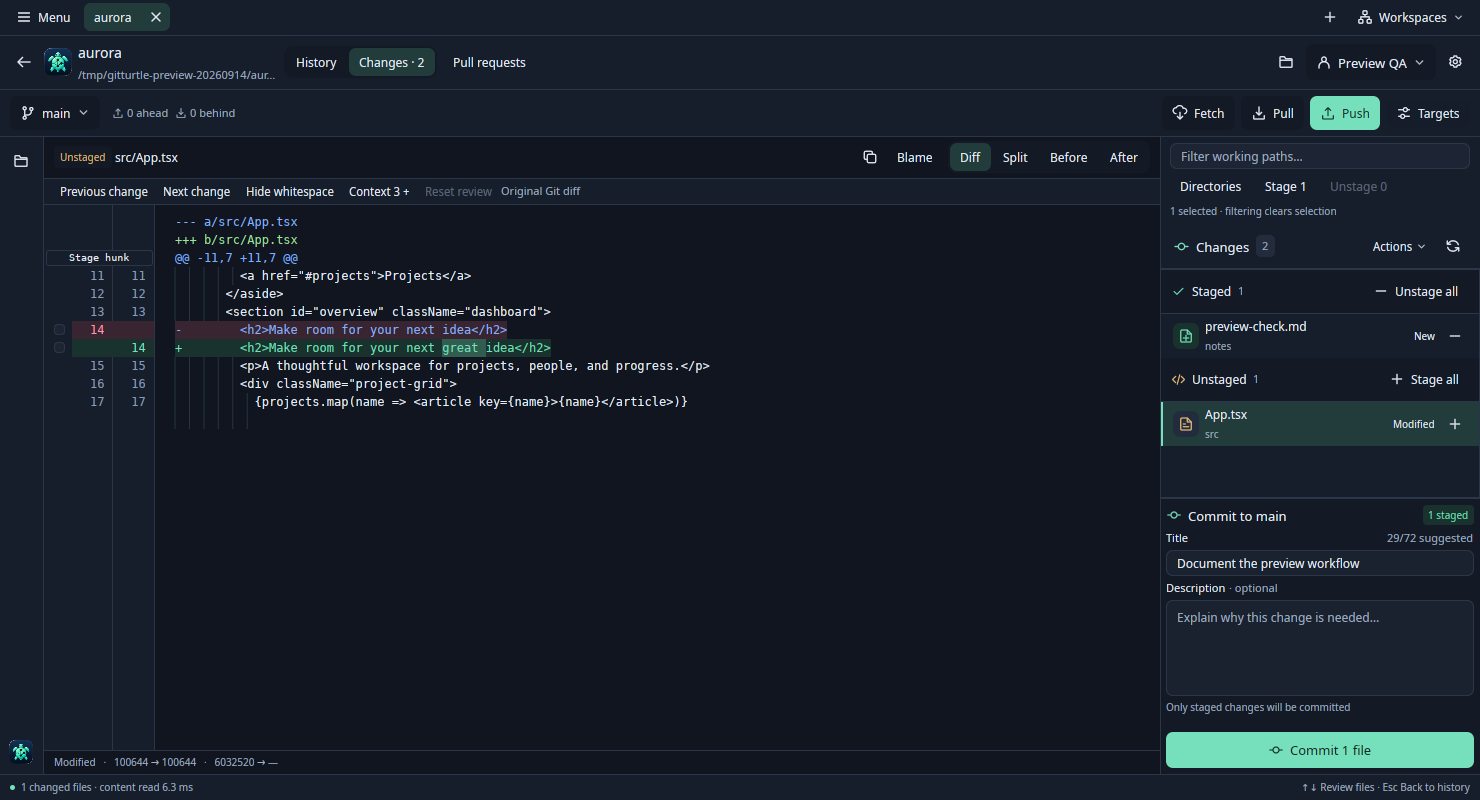
Partial staging needs the original text patch. If you hid whitespace or expanded review context, choose Reset review to restore it. Binary files, renames, filtered files and mode changes use whole-file staging. Filtering the file list disables all-files actions.
Commit the staged snapshot
Enter a commit title and an optional description. Check the staged file count, then choose Commit. Unstaged edits stay in the working tree. A failed commit retains your draft for this worktree. If Git reports an identity, signing or hook failure, resolve that message and review the staged files before trying again.
Send your branch to a remote
Use the current-branch menu to switch or create a branch. Targets shows the selected remote and destination branch. Fetch updates remote-tracking refs, Pull accepts fast-forward changes, and Push publishes your current local branch to the chosen destination. Its first successful push sets the upstream. Each operation starts from your explicit action.
Ignore or discard a change
To ignore an untracked item, open its row menu and choose Ignore…. Check the proposed rule and destination. A shared .gitignore edit stays unstaged. A local exclude applies to your checkout. To remove edits, Discard changes… reviews the affected path and whether staged, unstaged or both sets of changes would disappear. Git cannot recover discarded uncommitted content.