
History and diffs
Read a commit in context, compare two revisions, and trace the history of a file or a line.
Read the graph
Choose a branch in the History navigator to scope the graph. This changes the history you see and leaves your checked-out branch in place. Select a commit to read its message, author and parent information. The inspector lists changed files. Open a file with a click or Enter to see its comparison.
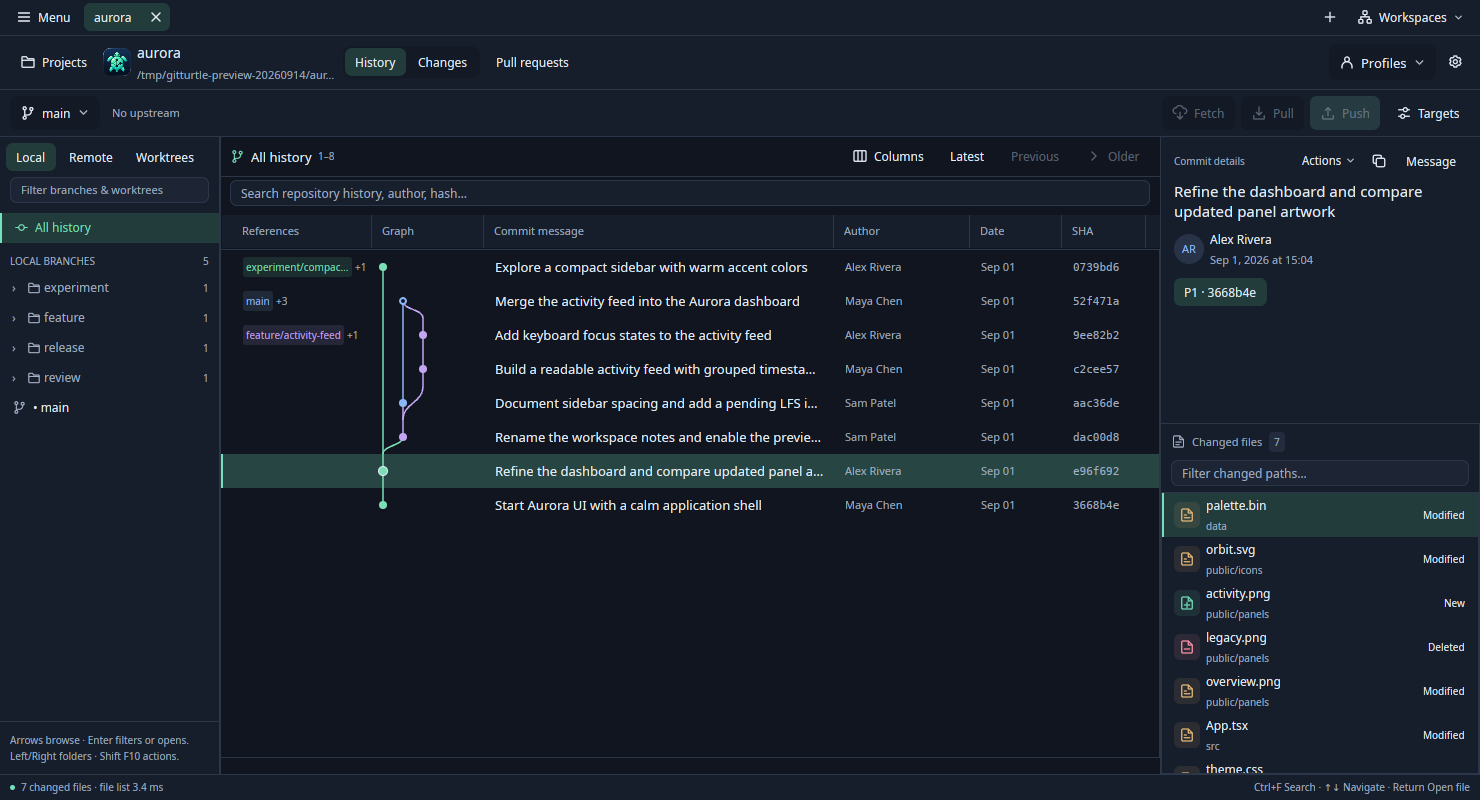
Use Older to continue through history and Previous to revisit an earlier window. A search can match messages, authors and hashes beyond the rows on screen. Use Continue if the search stopped at its limit, or Restart to include the latest local tips. Browsing uses objects available locally.
Compare revisions
- Open a changed file in a commit, or choose Compare revisions… to enter your own Before and After targets. Local branches, tags and commit hashes are accepted.
- Choose Endpoints for a direct comparison. Changes since branching compares After to the common base. For a merge commit, choose the parent you want to review.
- Read the unified or split diff. Use Before or After to inspect a whole side. Change navigation skips to the next or previous hunk. Back to history restores the graph and your selection.
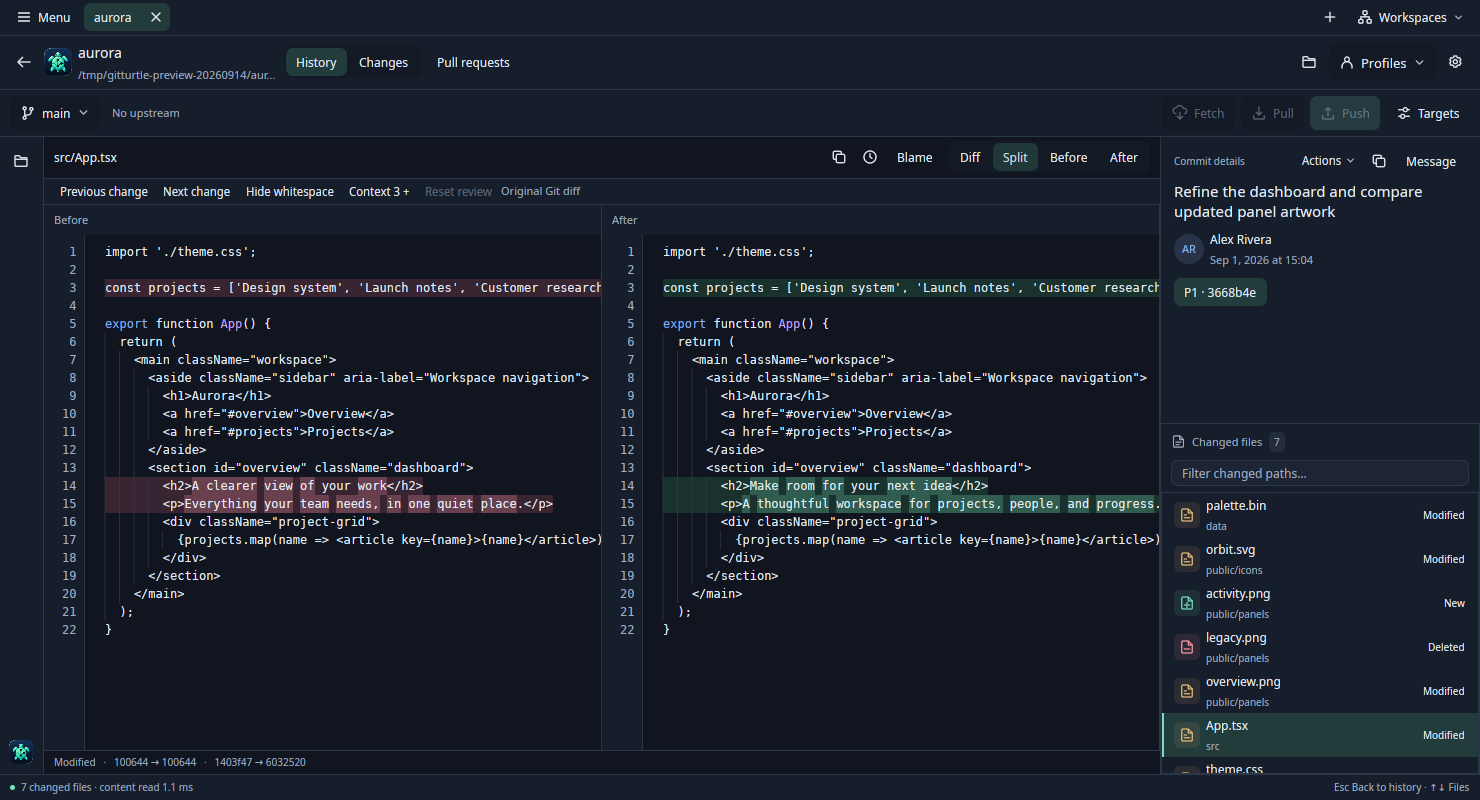
Trace a file or a line
Open File history from a changed file and select an earlier revision. GitTurtle follows renames along the first parent of a merge. Open Blame in a text comparison to see which revision last changed each line. Select a committed line and choose History of line or Compare commit. Blame on a working file labels edits since HEAD as Uncommitted.
Line history covers up to 100 changes. A shallow repository can have incomplete history. For images, rendered documents and other file types, see Previews and shortcuts.