
Omarchy and themes
Match GitTurtle to your desktop, adjust text and layout, or create a palette of your own.
Follow your Omarchy desktop
On a first launch with no saved preferences, GitTurtle selects the Omarchy theme and your desktop’s monospace font. Open Settings and find the Omarchy card under Desktop to see the theme it follows. Choose that card to return to desktop colors after using a built-in theme.
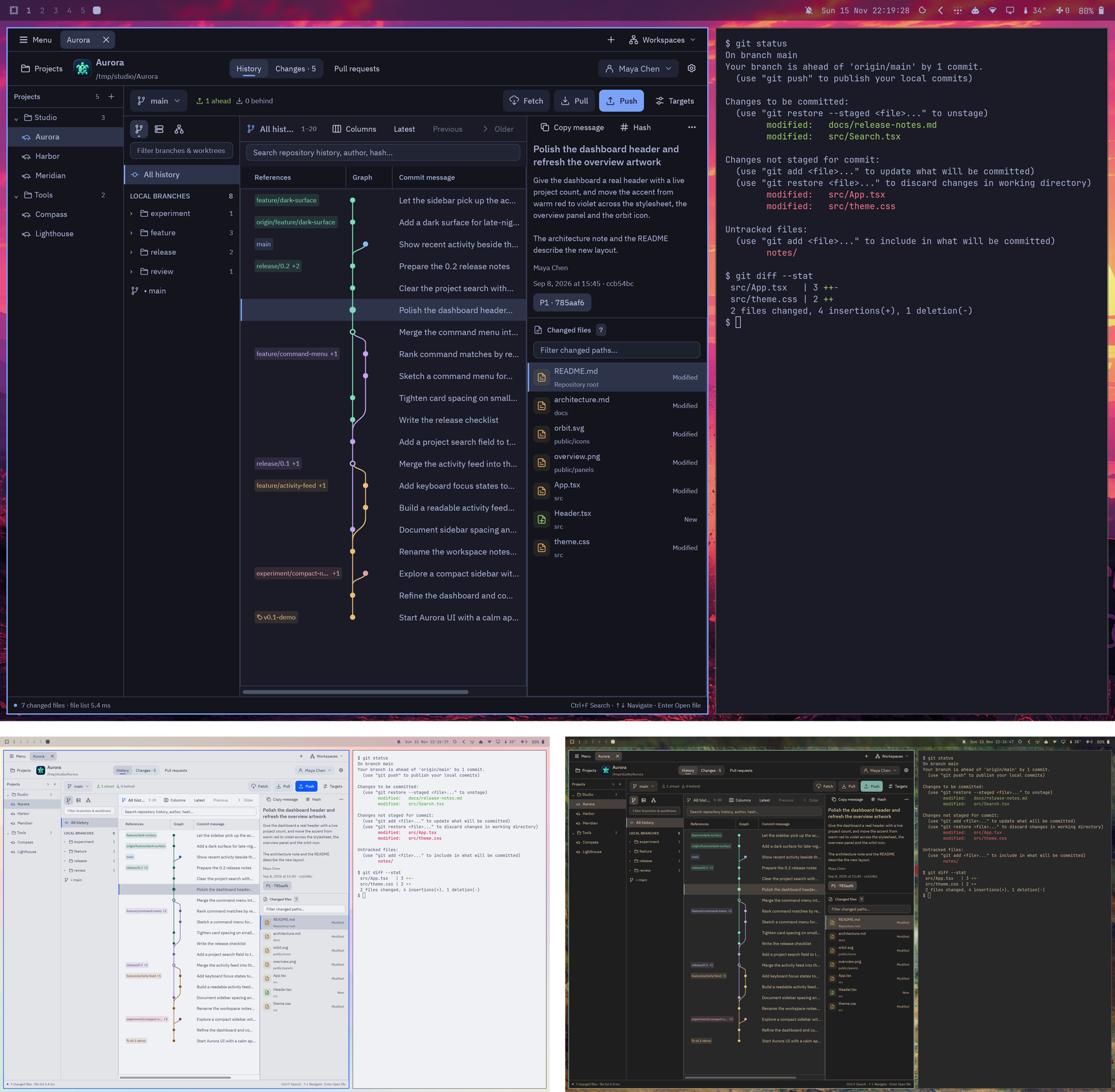
Change themes through Omarchy and the open app picks up the colors. This works with stock and custom themes. GitTurtle adjusts colors where necessary for legible text, graph lanes and diffs. If the current theme file becomes unavailable, Settings explains whether the previous colors or Midnight are in use.
- Font. Leave Use the desktop’s monospace font enabled to follow desktop font changes. Interface and code text sizes have separate controls.
- Shortcuts. Omarchy’s Super+C, Super+V, Super+X and Super+A work in text. Super+C also copies a selected commit hash or file path from its list.
- Desktop tools. With no preferred editor set in Settings, Menu → Open repository in editor uses the Omarchy editor. The terminal action opens the default terminal in the repository.
- Hyprland. Use the app tiled or floating. Close its window with the compositor binding or quit GitTurtle with Ctrl+Q.
Build and install on Arch or Omarchy →
Choose or create a theme
Select a theme card in Settings to apply it to the window. Built-in choices include Midnight, Tokyo Night, Catppuccin Mocha, Nord and Porcelain. Follow system appearance becomes available when you choose a theme other than Omarchy.
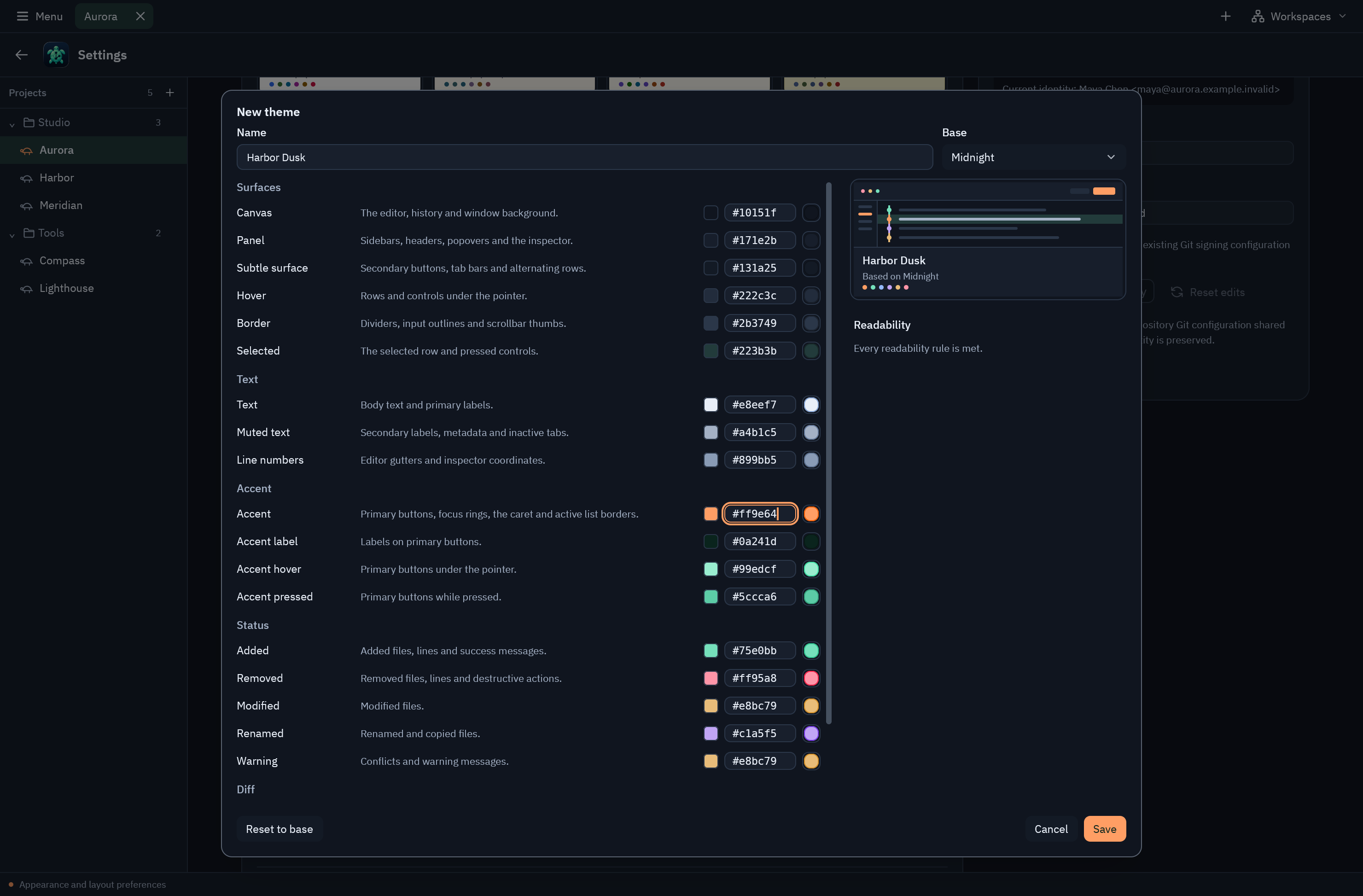
Under Your themes, choose New theme…. Adjust colors and inspect the live preview and readability warnings. Name and save the theme, then select it in the picker. Export… saves a JSON file you can share. Import a theme in Settings to add it to your collection. You can save up to 32 custom themes.
Adjust the workspace
Choose comfortable or compact density and set interface and code text sizes independently. Use Settings to choose which history columns appear. Drag a header divider to resize a column, or the edge of the project list to make more room for the commit graph.